AURAOS
The WebOS for humans and their agents.
Created with agents, curated by humans.
A self-hosted WebOS where people and AI agents work side by side. Every tool and agent runs sandboxed in its own container, installs like an app, and snaps together like building blocks — visible in one transparent control plane.
One container. Every tool. Fully yours.
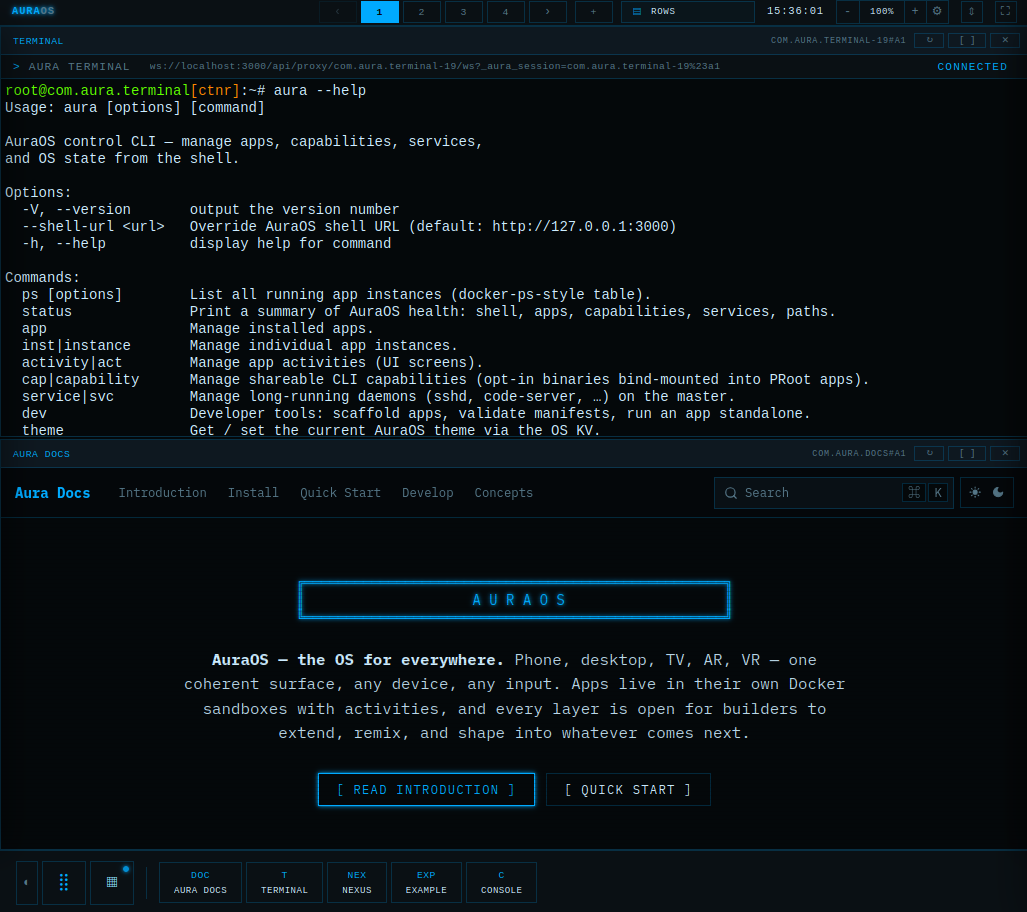
The desktop — every window is an app in its own sandbox.
// Quick start
Running in one command
▸
$ git clone https://github.com/lacky95/auraos.git
$ cd auraos
$ docker compose up   # then open http://localhost:3000
Docker is the only dependency. The desktop comes up in seconds after the first build —
press Ctrl+Alt+Space for the launcher.
Full guide in the Quick Start docs;
the complete documentation is at docs.aura.lakner.io,
and ships inside the OS as the Docs app.
Pre-alpha — dev mode by default, no auth or TLS yet. Don’t expose it to a public network.
// Why
What makes it different
▸
Isolation by default
Every app gets its own container and sees only its own slice of the filesystem — sibling apps are invisible, and it holds only the tools you granted it.
aura cap grant com.example.foo docker
Nexus — the built-in store
Install, update and publish apps from Git, an OCI registry, a curated index or a local path — into system, global or user scope, each non-system scope its own git repo.
aura nexus install com.example.foo · browse the store ↗
One CLI, inside and out
The same aura command runs on your host and inside every sandbox. Scaffold an app, jump into a running one, or mount another app’s files into it — live, no restart.
aura dev new · aura jump · aura mount
Wrap any container image
LiteLLM, a vector DB, an agent — a thin adapter turns any image into an app against one SDK. Upstream stays untouched, so upgrades are still docker pull.
// What
What it runs
▸
Capabilities
Host tools installed once, then granted per app — an app only ever sees what you handed it. Your AI coding agent is just another capability.
aura cap install claude
Apps in the box
Working references for every pattern in the OS — PTY over WebSocket, multi-activity state, content providers, themes. All readable source.
Wrapped & stacked
Upstream images running unchanged behind a thin adapter. Autonomous agents are the next ones in — the OS is built to be their sandbox.
◇ amber · not yet shipped
// Principles
Built on
▸
- Registry, not bus. The OS connects things, then gets out of the data path.
- Sandbox everything. Isolation and scoped capabilities are the default.
- Extend, never fork. Thin adapters over unchanged upstream tools.
- Legibility over gloss. The UI is the system’s X-ray — show the machine.
- Depth first. Real apps harden the OS; breadth waits for a real need.
- Human in the loop. Agents do the work; humans keep the leash.
// Status
Where we are
▸
- Sandboxed apps + an app store
- Three-tier scopes & capabilities
- Shared Context — env, secrets, volumes
- Cross-app mounts, attached live
- Interface Registry — REST · MCP · WS · streams
- On-demand activation
- Autonomous agents as first-class apps